Product design Mobile app 2026

Mumbai Ek

One ticketing app for every way of moving through Mumbai: local trains, the Metro, BEST buses, taxis and rickshaws, all behind a single phone app.

  • RoleProduct design
  • PlatformMobile app
  • CategoryPublic transport ticketing
  • CityMumbai
The problem

One journey, five separate apps

Mumbai runs metro, local trains, buses, autos and taxis, but the services are fragmented: there is one app for the metro, another for local trains, and separate platforms again for cabs and autos.

Some modes, buses and autos among them, have no well-known or government-backed app at all, which leaves riders with unreliable information and potentially higher fares.

Without an integrated way to navigate and pay, travellers spend excessive time working out routes and managing payments, worst of all at peak hours and whenever a trip needs more than one transfer.

Who

Four kinds of traveller

  • DailyCommuters who rely on several modes in one trip: metro, local trains, buses and autos
  • NewRecent arrivals in and around Mumbai who do not yet know the networks
  • VisitingTourists, who struggle to make sense of the local transport system at all
  • One-offPeople travelling a single specific route who find the system confusing
Why

The ticket is the barrier

The network itself is vast and branching, which is hard enough for an unfamiliar traveller. Auto-rickshaws are restricted to certain areas, so a trip usually has to fall back on trains, metros or buses anyway.

On top of that, buying a ticket is inconvenient enough that people skip it, especially across several modes. The research named the reason as a psychological barrier: buying separate tickets for each mode, and the length of the process each time.

If a single payment covered the whole journey, people would be far more likely to use public transport properly.

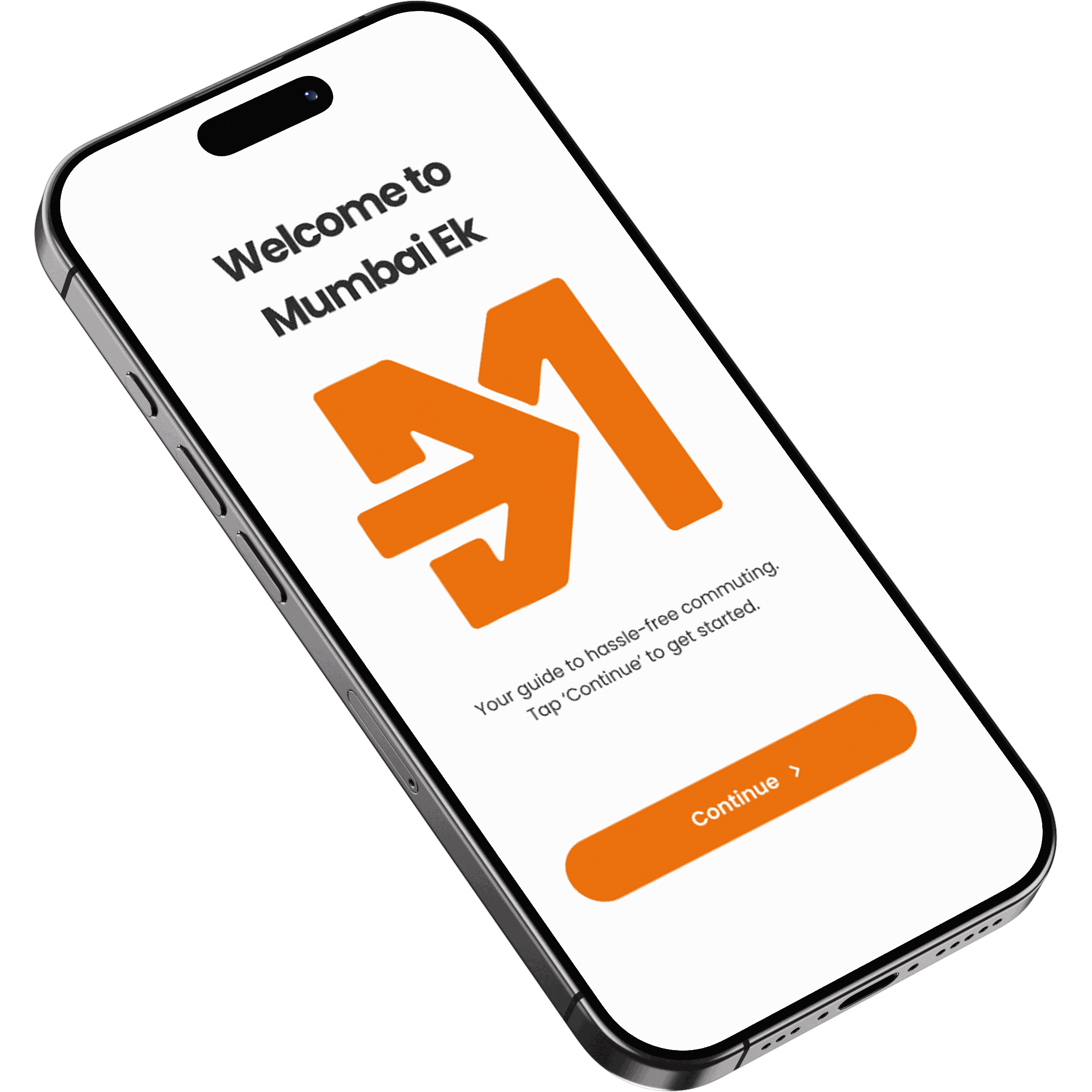
The Mumbai Ek welcome screen on an angled iPhone: “Welcome to Mumbai Ek” above the orange arrow monogram, a line reading “Your guide to hassle-free commuting”, and a Continue button
One city, one ticket.
Where and when

At the interchange, in the crowd

It happens anywhere the metro and local train routes stretch, and it is worst at the big interchange stations, the points where a traveller has to switch modes.

The moment itself is specific: time lost working out routes, platforms and which app to open, instead of actually travelling. In a crowd, handling cash or a separate UPI payment for every leg is stressful and slow.

A transit integration platform: real-time tracking, multimodal route optimisation and fare transparency, across metros, local trains, buses and autos.
Home

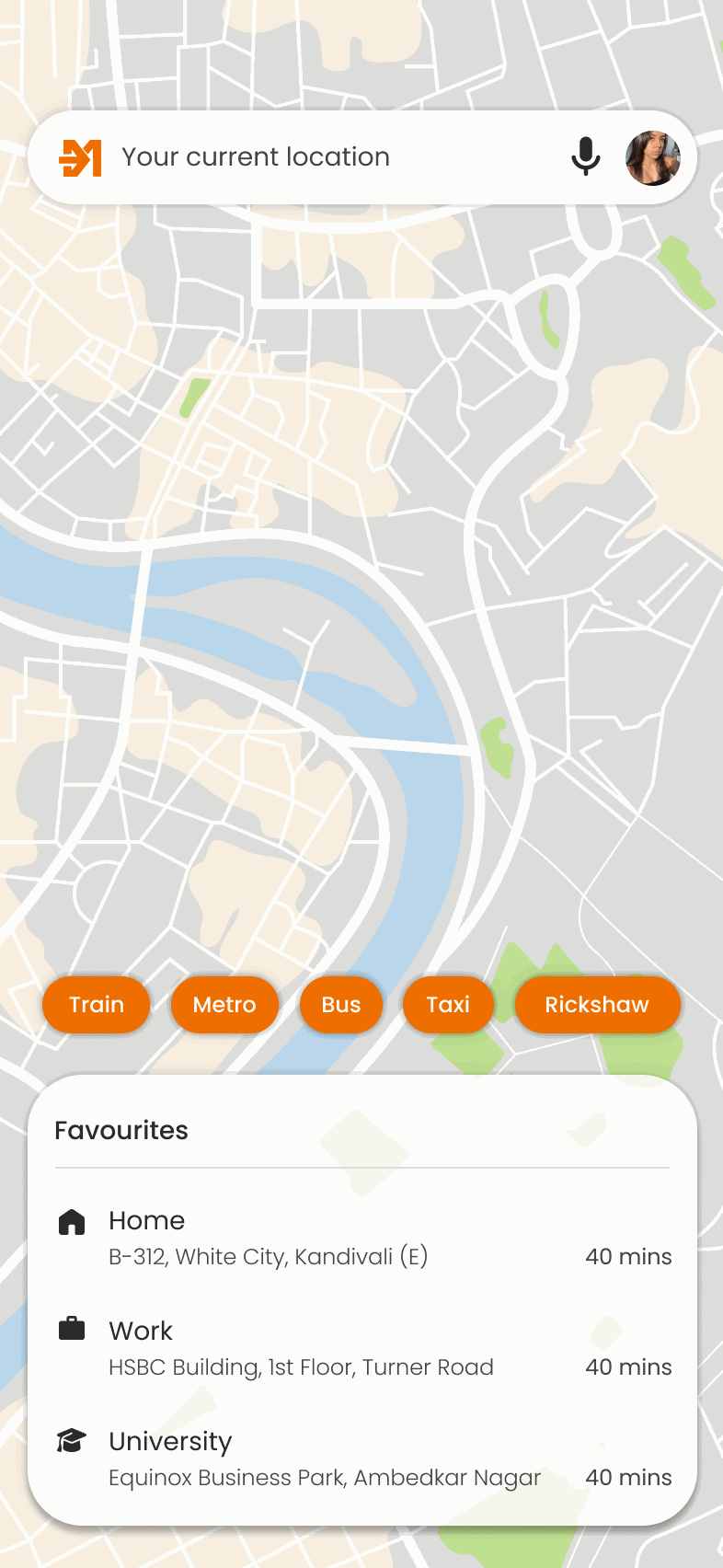
Every mode on one map

The home screen: a map of the city with a search field, mode chips for Train, Metro, Bus, Taxi and Rickshaw, and a Favourites list of saved addresses
Home
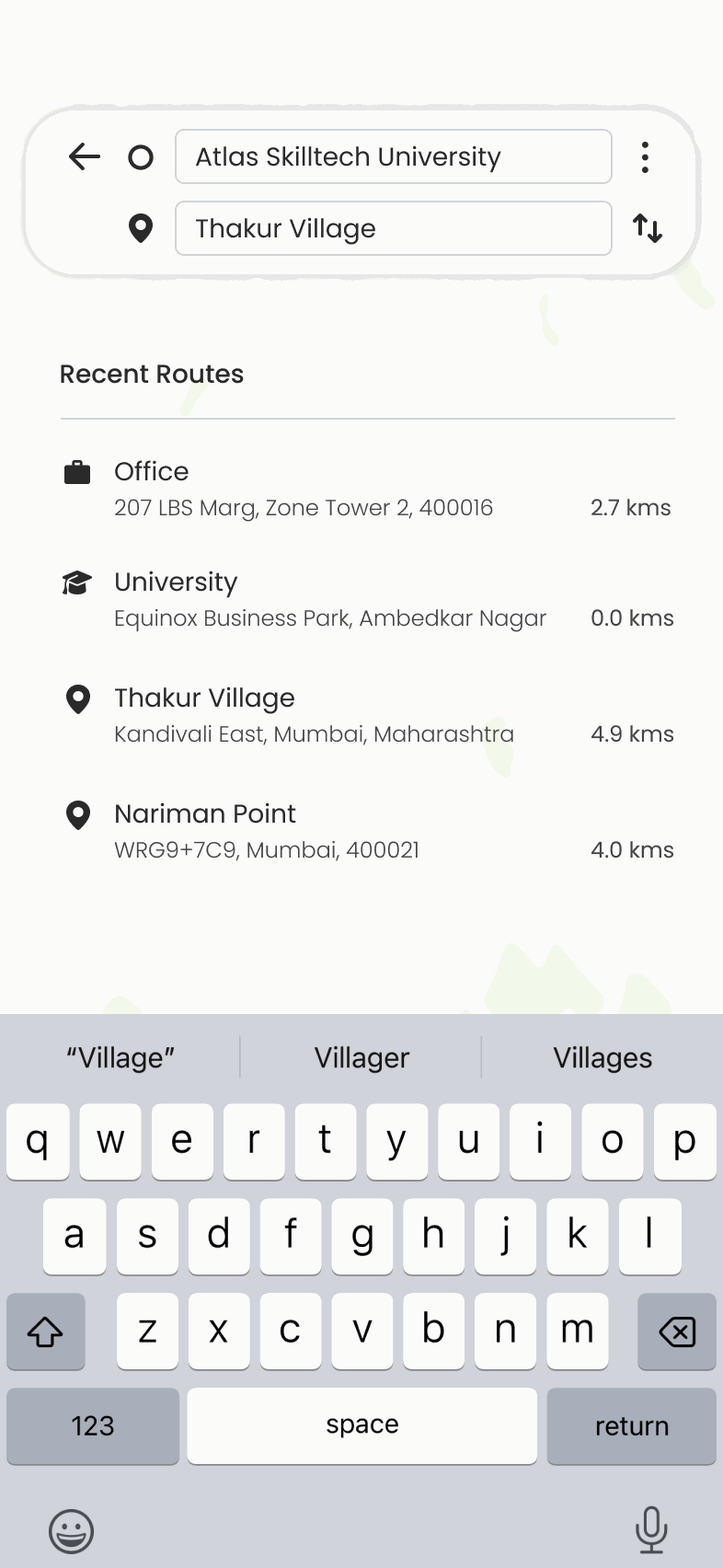
The destination search: origin and destination fields above a list of recent routes, with the keyboard open
Destination search
Planning

Cheapest, or fastest

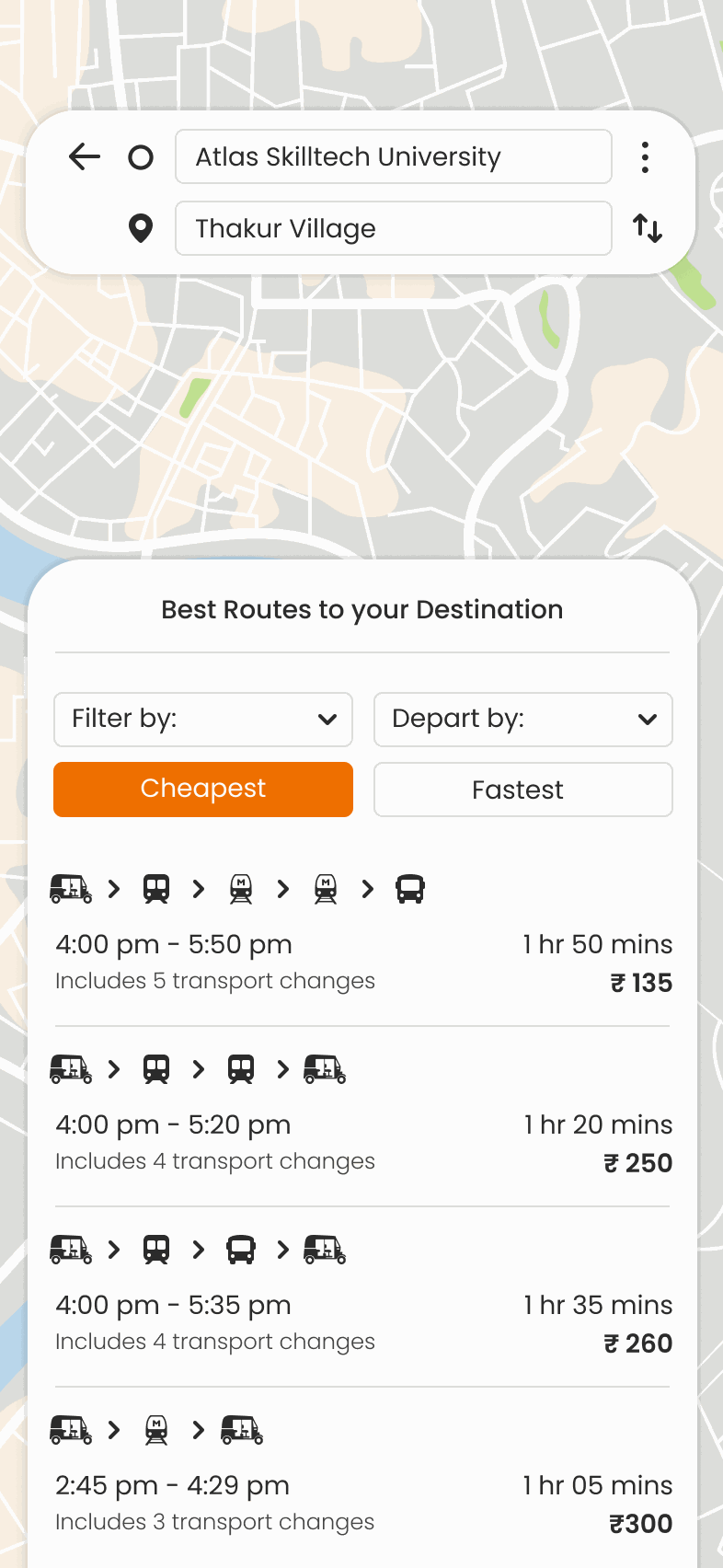
Route results filtered by Cheapest: each option lists departure and arrival times, total duration, the number of changes and the fare
Filtered by cheapest
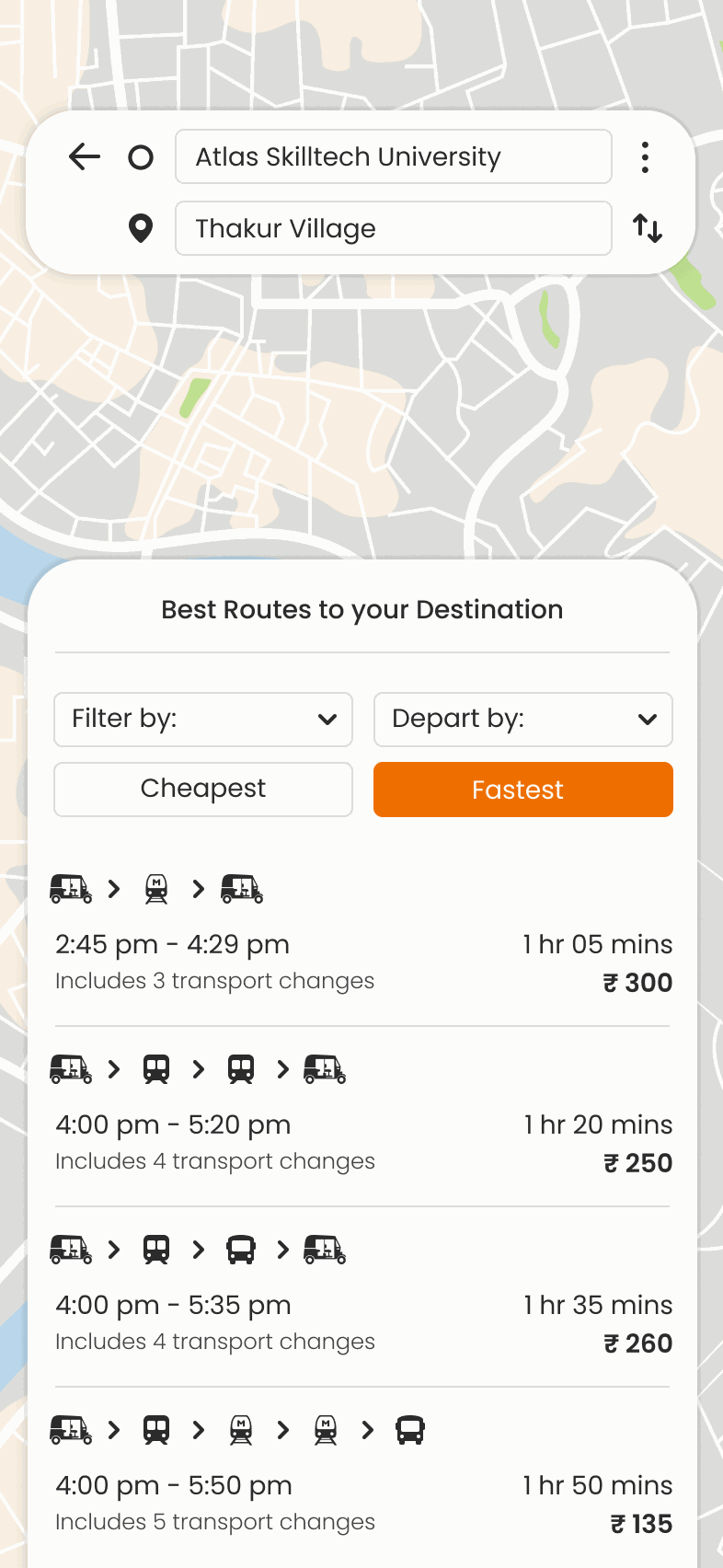
The same route results filtered by Fastest, reordering the options and their fares
Filtered by fastest
Booking

Confirm it, change it, pay once

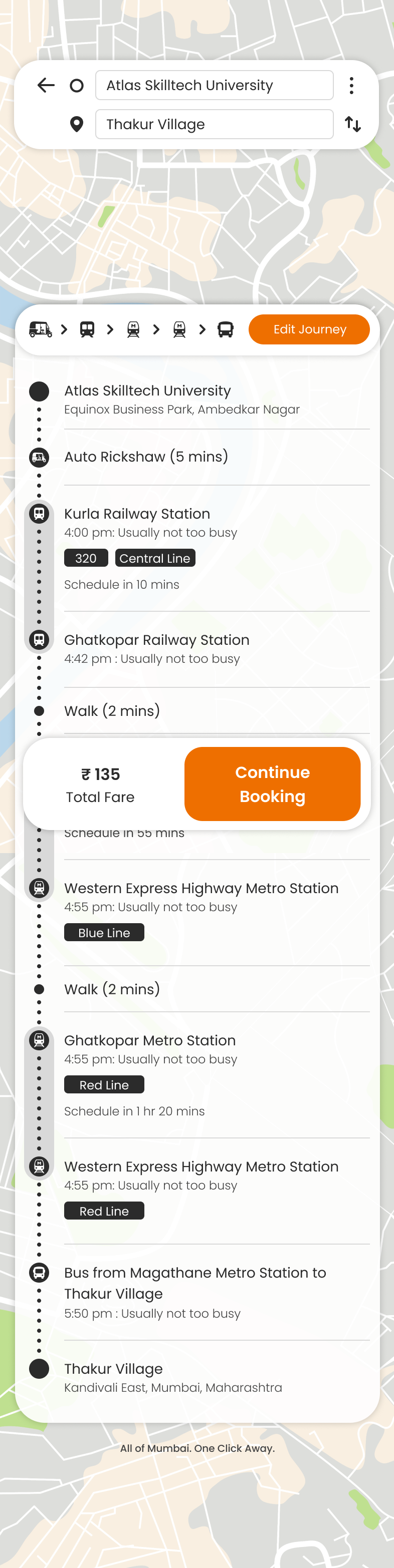
The chosen route, leg by leg: rickshaw to Kurla, Central Line to Ghatkopar, a two-minute walk, then the Metro, with a running total of ₹135 and Continue Booking
The route
The Edit Journey sheet: every stop on the route listed as an editable field, so a single leg can be swapped without rebuilding the trip
Editing a leg
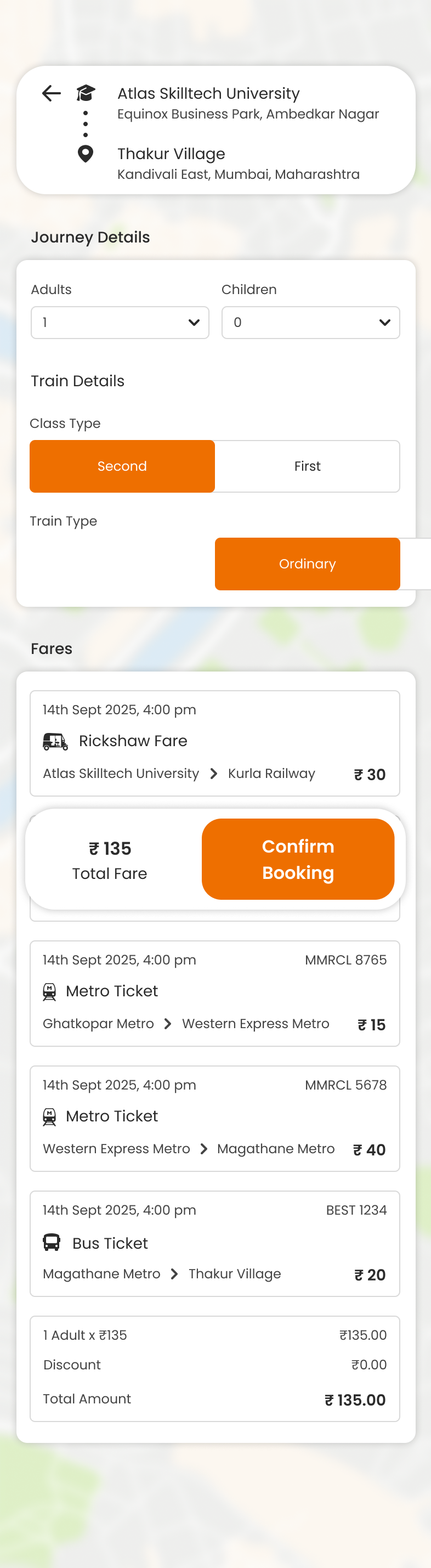
Journey details: passenger counts, train class and type, then the fare broken down per leg above Confirm Booking
Fares
Tickets

One wallet, every leg

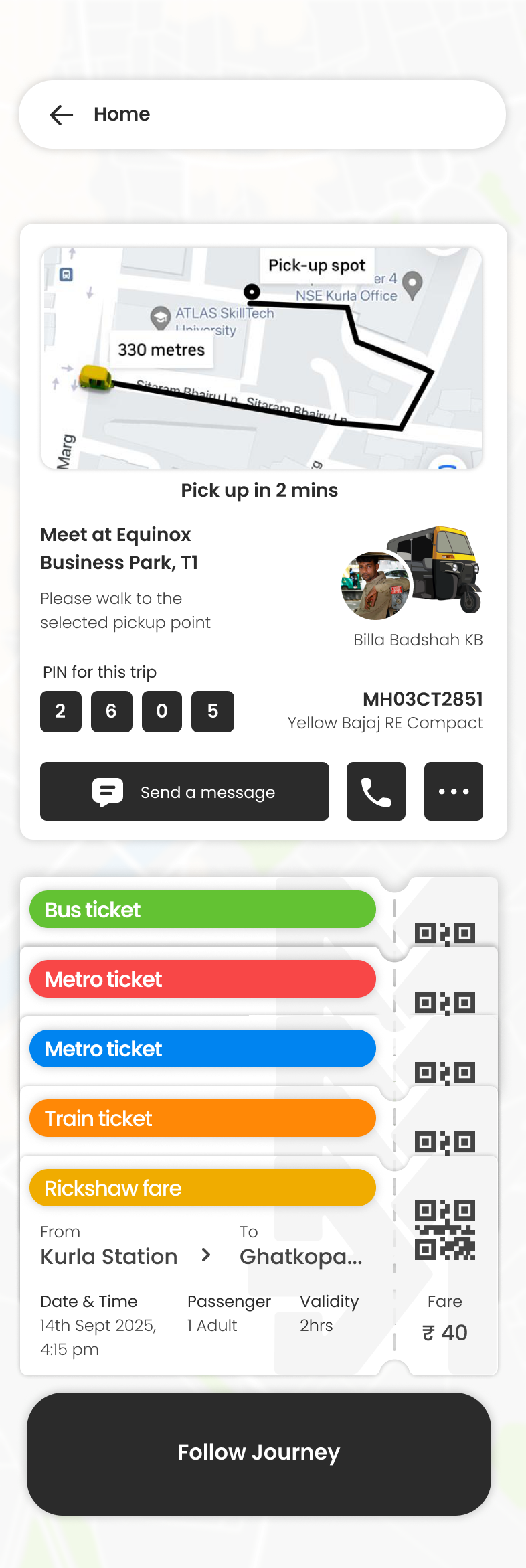
The journey in progress: the rickshaw approaching on the map, the pickup point and driver PIN, and the four onward tickets already waiting below
On the way
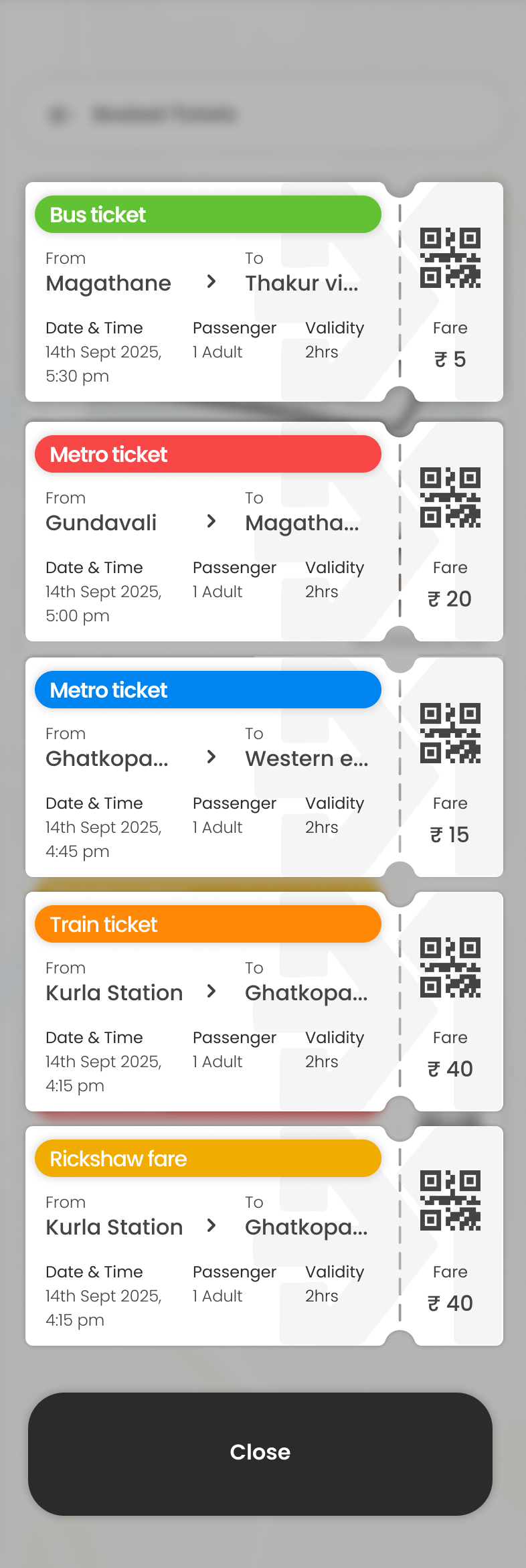
Booked tickets: bus, metro, train and rickshaw stacked as tear-off stubs, each with its own QR, route, time, validity and fare
The wallet
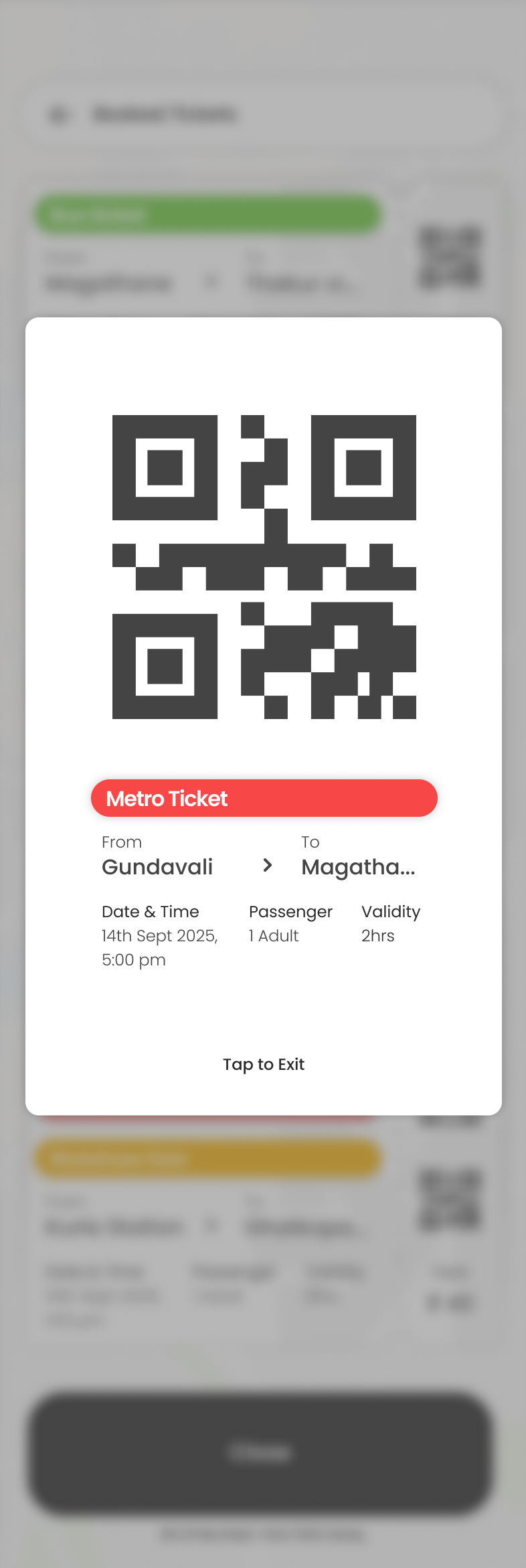
A single ticket opened full screen, its QR enlarged for the gate reader above the route and time, and Tap to Exit
At the gate